

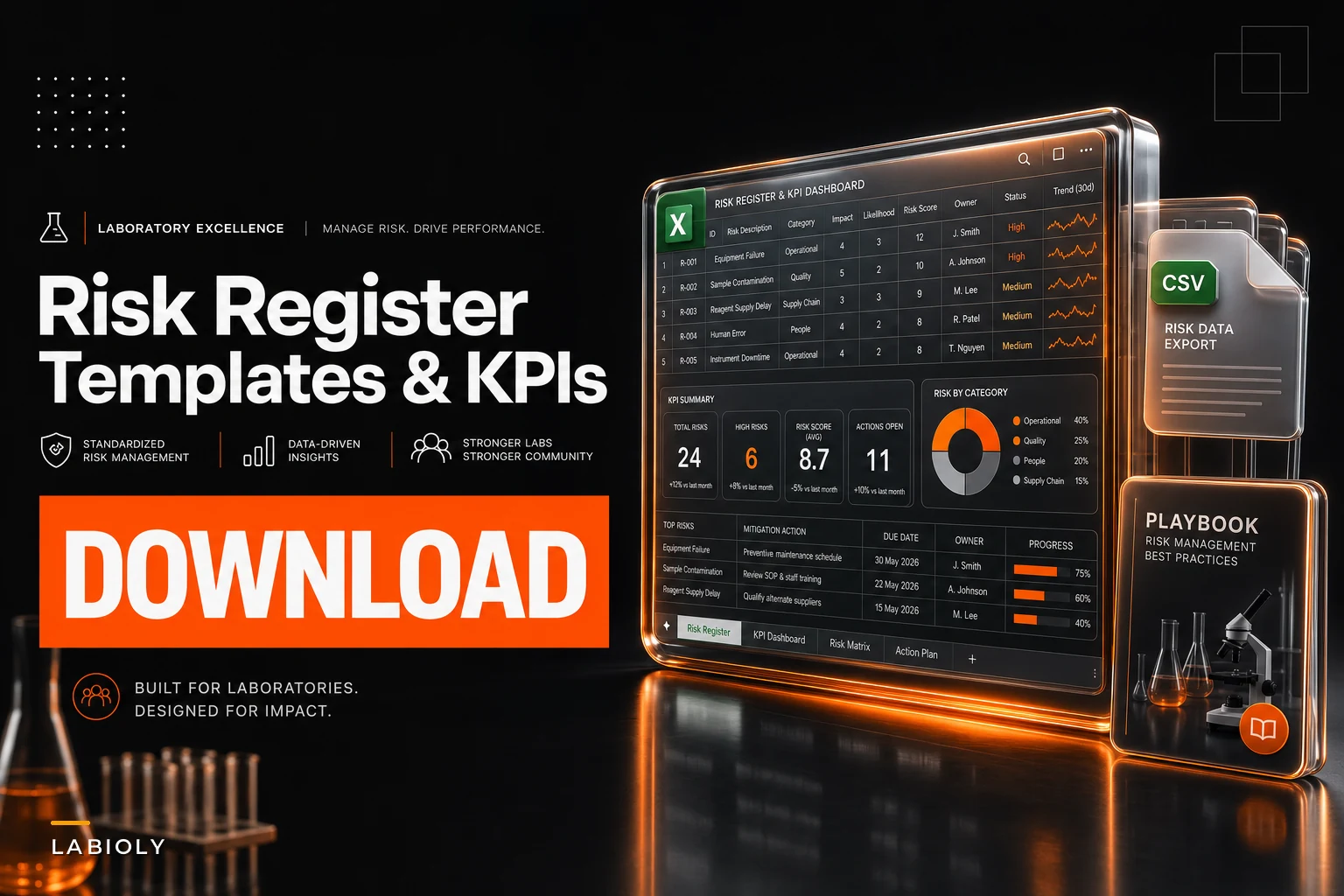

Most risk registers die in a spreadsheet nobody opens between audits. The gap isn't the catalog — plenty of teams already have a decent risk→control list. The gap is everything that makes the register operational: live formulas that recompute your reorder point when consumption changes, alarm thresholds tuned per storage class so you're not drowning in -80°C noise, evidence schemas that hold up under auditor questions, and alert rules that don't wake someone at 3 a.m. because a door opened for eight seconds.
This is the build-sheet for that layer. If you already have the conceptual register from Build a Laboratory Operational Risk Register: Risk→Control Catalog, KPIs and Monitoring Rules, this is the companion that gives you the downloadable templates, the worked numbers, and the machine-readable config to wire it into LIMS/CMMS.
Everything below is copy-pasteable. The formulas drop directly into Excel or Google Sheets. The CSV schemas are column-for-column what you'd commit to a repo or feed into an ingest adapter.
Start with the register schema (the file you actually download)
Before KPIs or thresholds, the register itself needs a column structure that supports automation. A register built only for human reading can't drive alerts. Here's the canonical sheet — tab name risk_register:
| Column | Type | Example | Notes |
|---|---|---|---|
risk_id | string | RISK-FRZ-003 | Stable, never reused |
asset_class | enum | freezer_-80 | Drives threshold lookup |
risk_desc | string | Compressor failure on ULT-02 | |
cause | string | Condenser fouling | |
likelihood | int 1–5 | 3 | For 5×5 matrix |
impact | int 1–5 | 5 | |
inherent_score | formula | =likelihood*impact | 1–25 |
control_ids | list | CTL-021;CTL-022 | Semicolon-delimited |
residual_score | formula | see below | |
kpi_id | string | KPI-MTTR-FRZ | Links to KPI sheet |
monitorruleid | string | MON-TEMP-80 | Links to monitoring config |
owner | string | j.okafor | |
review_due | date | 2025-09-30 | |
evidence_ref | string | EVD-2025-Q2-FRZ | Links to evidence manifest |
The residual_score formula is where most teams get lazy. Don't just copy the inherent score down. Model control effectiveness explicitly:
``
residualscore = ROUND(inherentscore * (1 - control_effectiveness), 0)
``
Where control_effectiveness is a 0–1 value you assign per control bundle — 0.6 for "tested quarterly," 0.3 for "documented but unverified," 0 for "planned." A compressor risk at inherent 15 with a 0.6-effective control bundle lands at residual 6. That number should change when a control lapses.
The common failure: teams hardcode residual scores once and never revisit them. A residual score that doesn't move when a monitoring KPI breaches is decoration. Tie control_effectiveness to KPI status so a failed backup check automatically degrades the residual score on every risk that depends on backups.
KPI formulas with worked numbers (not just definitions)
Definitions are useless without the arithmetic. Here are the six KPIs that carry most of a lab register, each with a real calculation you can verify.
Eliminate lab bottlenecks and errors.
Labioly helps you monitor, manage, and report lab activities efficiently and compliantly.
- Real-time sample tracking
- Inventory and supply alerts
- Staff workflow coordination
No credit card required
Days of Inventory (DOI)
``
DOI = currentonhand / averagedailyconsumption
``
Worked example: a qPCR master mix with 420 reactions on hand, consuming an average of 28 reactions/day over the trailing 30 days.
``
DOI = 420 / 28 = 15 days
``
If your reorder lead time is 12 days and you want a 5-day buffer, 15 days DOI means you're already inside the danger zone — you should have ordered already. That's the trigger logic, not just a dashboard number.
Reorder Point (ROP)
``
ROP = (averagedailyconsumption × leadtimedays) + safety_stock
``
Using the master mix: 28/day, 12-day lead time, safety stock of 90 reactions:
``
ROP = (28 × 12) + 90 = 336 + 90 = 426 reactions
``
The moment on-hand drops to 426, the register should flag reorder. Note the current 420 on-hand is below ROP — this item is already overdue.
Safety Stock (with demand variability)
Don't use a flat percentage. Use variability:
``
safetystock = Z × σdemand × √leadtimedays
``
Where Z is the service-level factor (1.65 for 95%, 2.33 for 99%). If daily demand standard deviation is 9 reactions, 95% service level, 12-day lead:
``
safety_stock = 1.65 × 9 × √12 = 1.65 × 9 × 3.464 = 51.4 ≈ 52 reactions
``
That's materially lower than the 90 used above — which tells you that "90" was someone's gut number. For a reagent where a stockout kills a run, bump to 99% (Z=2.33) and you get roughly 73. Pick Z by criticality, not habit.
Stockout Rate
``
stockoutrate = stockoutevents / totaldemandevents
``
Over a quarter, 4 stockouts across 380 demand events:
``
stockout_rate = 4 / 380 = 1.05%
``
Set a threshold — say, >2% triggers a safety-stock review. A rising stockout rate at stable DOI usually means lead times crept up, not that you're ordering wrong.
MTTD / MTTR
``
MTTD = Σ(detectiontime − incidentstart) / incidentcount
MTTR = Σ(resolutiontime − detectiontime) / incidentcount
``
Five freezer alarms last quarter. Detection delays: 2, 4, 1, 3, 2 minutes. Repair durations: 45, 120, 30, 90, 60 minutes.
``
MTTD = (2+4+1+3+2)/5 = 2.4 min
MTTR = (45+120+30+90+60)/5 = 69 min
``
The 120-minute outlier tells the real story — one event dragging the mean. Track median alongside mean (median MTTR here is 60) so a single bad night doesn't make an otherwise healthy response look worse than it is.
Backup Success Rate
``
backupsuccessrate = successfulbackups / scheduledbackups
``
Over 90 nightly backups, 87 succeeded:
``
backupsuccessrate = 87 / 90 = 96.7%
``
Below 98% on anything tied to LIMS data should open a ticket. And log which ones failed — clustered failures on the same weekday point to an infrastructure conflict, not random flakiness.
Alarm thresholds and sample intervals by storage class
This is the section most generic guides skip, because it requires committing to actual numbers. Thresholds that work at 2–8°C will either spam you or miss real excursions at -80°C. Here's a defensible starting config with rationale.
| Storage class | Setpoint | Alarm high | Alarm low | Sample interval | Alarm debounce | Rationale |
|---|---|---|---|---|---|---|
| ULT -80°C | -80°C | -65°C | -86°C | 60–120 s | 10 min sustained | High thermal mass; brief door-opens spike fast but recover. Short debounce = false pages |
| Freezer -20°C | -20°C | -15°C | -30°C | 120 s | 15 min sustained | Auto-defrost cycles cause legitimate transient rises |
| Fridge 2–8°C | 4°C | 8°C | 2°C | 300 s | 20 min sustained | Narrow band; frequent door use; tolerate short excursions |
The debounce window should be shorter than the time it takes product to actually degrade, but longer than routine transients. For -80°C, samples can tolerate a few minutes near -65°C; a 10-minute sustained breach is a real problem, an 8-second door-open is not. If you're getting more than a couple pages a week per unit, your debounce is too tight — not your hardware broken.
Set thresholds per asset class as a lookup table in the register so adding new units doesn't require reconfiguring rules manually.
Labs that set identical thresholds across all freezers end up with alarm fatigue on the chest freezers (which cycle more), while their sensitive uprights sit underprotected. Threshold-per-asset-class is the fix, and it's a lookup table, not a philosophy.
Monitoring rules as pseudo-code (debounce + hysteresis)
Here's the alert logic you can hand to whoever configures your monitoring platform. Hysteresis prevents the alarm from flapping on and off as temperature oscillates near the threshold.
``
# Monitoring rule: MON-TEMP-80
on each sample(temp, timestamp):
    if temp > alarmhigh:               # e.g. -65C
        if not breachactive:
            breachstart = timestamp
            breachactive = true
        elif (timestamp - breachstart) >= debouncewindow:   # 10 min
            if not alerted:
                raisealert(severity=HIGH, asset=unitid)
                alerted = true
    else if temp < (alarmhigh - hysteresis):   # clear only below -67C
        breachactive = false
        if alerted:
            sendclear(asset=unitid)
            alerted = false
    # else: within hysteresis band, hold current state
``
The hysteresis value — 2°C in this example — is the detail that separates a stable alert system from one that fires a clear and a re-alert every 90 seconds. Clear the alert only when temperature drops a full 2°C below the trigger, not the instant it dips back under.
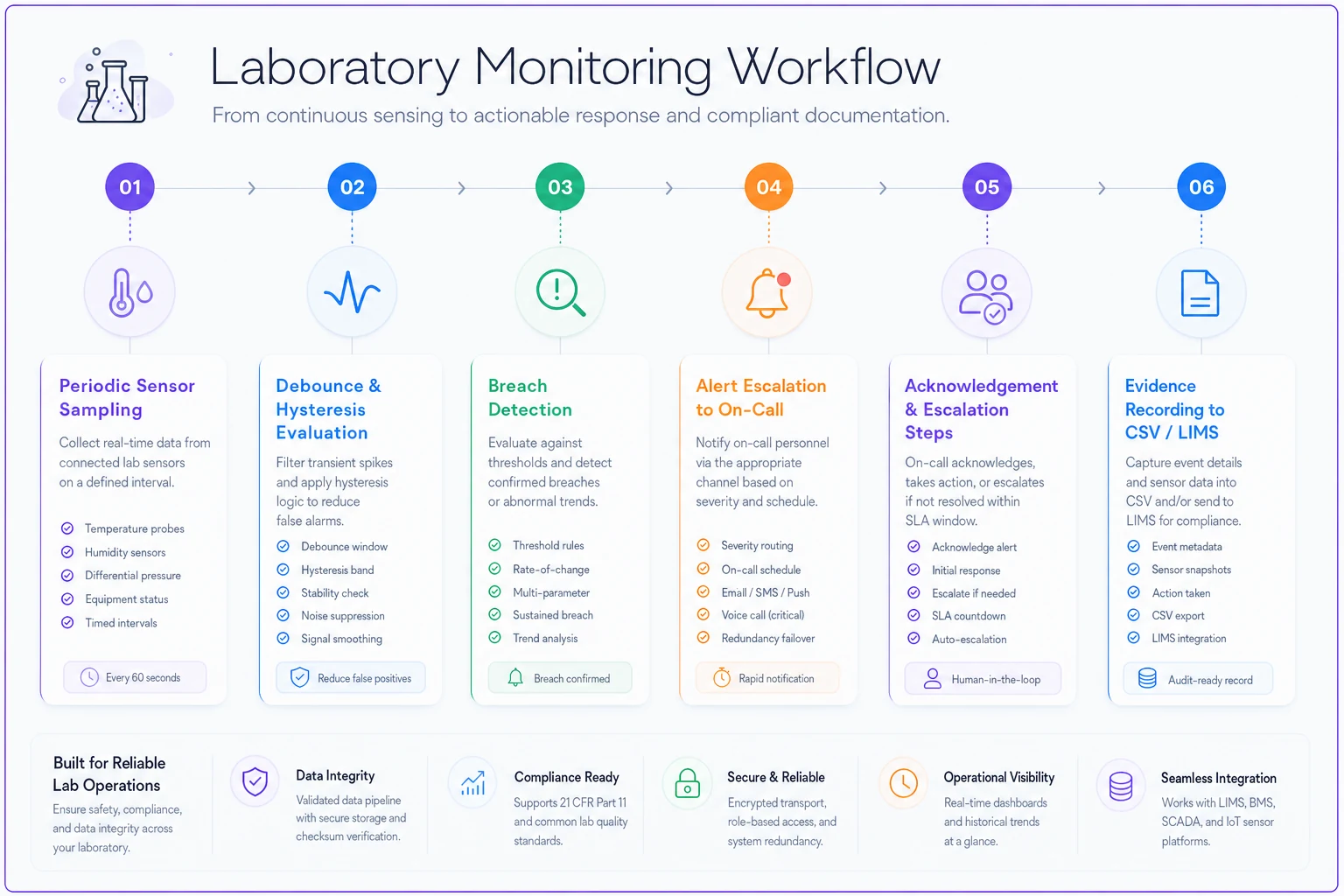
The diagram shows the flow from sensor reading to alert and evidence storage so implementers can map each step to the platform they use.
For sample-interval gaps (a sensor that stopped reporting), add a watchdog:
``
# Watchdog: missing data is itself an alarm
if (now - lastsampletimestamp) > (3 × sampleinterval):
    raisealert(severity=MEDIUM, reason="SENSORSILENT", asset=unitid)
``
Silent sensors are the failure mode that burns labs. The freezer died and nobody got paged because the probe lost power with it. Treat missing data as a breach, not a gap to interpolate over.
Escalation matrix
Alerts without a routing rule just pile up on one person. The matrix below maps severity to who gets it and how fast it escalates if unacknowledged.
| Severity | Trigger example | First responder | Ack window | Escalates to | Escalation after |
|---|---|---|---|---|---|
| HIGH | -80°C sustained breach | On-call tech (SMS) | 10 min | Facilities lead + lab manager | 15 min no-ack |
| MEDIUM | Sensor silent, backup fail | On-call tech (app) | 30 min | Lab manager | 60 min no-ack |
| LOW | DOI below buffer, cal due | Item owner (email) | 1 business day | Team lead | 3 days |
The acknowledgment window is the part teams forget to encode. "Someone got paged" isn't resolution. If nobody acks the -80°C alert in 10 minutes, it needs to auto-escalate — the on-call person might be in a basement with no signal.
Evidence-artifact CSV schemas
Auditors don't want screenshots. They want structured, timestamped evidence you can produce on demand. Two schemas carry most of the load.
incidentevidence.csv
``
incidentid,riskid,detectedat,acknowledgedat,resolvedat,severity,
rootcause,actiontaken,responder,mttdmin,mttrmin,evidencefilehash
``
monitoringevidence.csv (the raw proof your alarms worked)
``
readingid,assetid,timestamp,measuredvalue,setpoint,alarmstate,
sensorid,sampleintervals,datagapflag
``
The evidencefilehash and datagapflag columns are what make this audit-grade. The hash lets you prove the attached log wasn't altered after the fact; the gap flag lets you honestly show where data was missing rather than quietly interpolating over it. A register that hides its gaps fails the first serious audit.
ABC / criticality scoring rubric
Not every risk deserves the same monitoring intensity. Score each asset or reagent on two axes and let the combination drive your controls.
Consumption/value axis (ABC):
-
A — top ~20% of items driving ~80% of spend or usage
-
B — next ~30%
-
C — remaining long tail
Criticality axis (impact if unavailable):
-
1 — stops active runs immediately, irreplaceable samples at risk
-
2 — delays work within days, substitutes exist
-
3 — minor inconvenience
Combine them: an A1 item gets 99% service-level safety stock, tightest alarm thresholds, and HIGH escalation. A C3 item gets a quarterly manual check and nothing else. The scoring rubric lives as two columns in the register and feeds a lookup that sets safetystock Z-factor and monitorrule_id automatically.
A common misallocation: labs monitor everything at the same intensity because it felt fair, then burn out the on-call rota on C-tier noise while an A1 reagent quietly hits reorder unnoticed. Criticality scoring is permission to monitor unevenly — on purpose.
5×5 risk → action mapping
Your inherent_score (1–25) should map to a mandated action, not a color someone glances at.
| Score band | Zone | Required action |
|---|---|---|
| 1–4 | Low | Accept; annual review |
| 5–9 | Moderate | Monitor; KPI tracked monthly |
| 10–14 | Elevated | Active control required; quarterly evidence |
| 15–19 | High | Documented mitigation + named owner + monthly review |
| 20–25 | Critical | Immediate mitigation plan; executive visibility; weekly review |
Binding scores to actions removes the negotiation. A residual 16 must have a named owner and monthly review — that's not a judgment call anymore. When your register auto-recomputes residual scores from KPI status, these bands trigger the right cadence without a meeting to decide it.
RPO / RTO tiers for lab data
Backup success rate means nothing without recovery targets. Tier your systems:
| Tier | Example system | RPO (max data loss) | RTO (max downtime) | Backup cadence |
|---|---|---|---|---|
| Tier 1 | LIMS, chain-of-custody | ≤ 1 hour | ≤ 4 hours | Hourly + nightly full |
| Tier 2 | Instrument result stores | ≤ 24 hours | ≤ 1 business day | Nightly |
| Tier 3 | Shared docs, non-critical | ≤ 1 week | ≤ 3 days | Weekly |
If your LIMS is Tier 1 with a 1-hour RPO but you're only backing up nightly, your register has a lie in it. Match the backup cadence to the stated RPO, or honestly downgrade the tier. Test restores quarterly — a backup you've never actually restored is an assumption, not a control.
A short real scenario
A mid-size university core facility — around 14 ULT freezers, a couple hundred critical reagent SKUs — was running a register that was basically a static spreadsheet reviewed twice a year. Their on-call team was getting somewhere in the range of 30–40 freezer pages a week, nearly all door-open transients. People started ignoring the SMS alerts entirely.
They rebuilt three things:
-
Per-class thresholds with a 10-minute debounce and 2°C hysteresis
-
The silent-sensor watchdog
-
An escalation matrix with a hard 10-minute ack window
Pages dropped to around 3–5 a week, and every one of those was a real excursion worth investigating.
A few months later a condenser failed overnight. The sustained-breach alert fired, nobody acked within 10 minutes because it was 2 a.m., it auto-escalated to the facilities lead, and samples got transferred before anything thawed. Under the old setup that page would have been buried in the noise.
No dramatic number to attach to this. The win was that the alerts became trustworthy again, which is the only thing that makes a monitoring config worth running in the first place.
Integration tips: LIMS / CMMS / APIs
A few practical notes for wiring this into existing systems:
-
Push monitoringevidence into your LIMS, don't re-key it. Use the sensor platform's API to append readings tied to
assetid. Manual transcription of temperature logs is where data gaps and errors enter. -
Let the CMMS own
MTTR. If your maintenance system already timestamps work orders, derive MTTR from those timestamps rather than maintaining a parallel log. One source of truth. -
Version your CSV schemas. When you add a column, bump a schema version in the header comment. Ingest adapters break silently otherwise.
-
Make the register read KPI status via API, not copy-paste. The whole point of
controleffectivenessdegrading residual scores automatically only works if the register can query whether backupsuccess_rate is above threshold right now. -
Reconcile daily, alarm on divergence. If LIMS inventory and the physical count drift, that divergence is itself a monitoring signal.
The modern lab monitoring and inventory platforms worth using handle the tedious parts — recomputing DOI as consumption changes, firing debounced alerts, keeping a hashed evidence trail — so your team isn't maintaining formulas by hand. But the config above is yours regardless of tooling. Thresholds, debounce windows, escalation timing, and tier targets are operational decisions no software should make for you.
Where to go from here
Build the register schema first, because every other deliverable references it. Then fill in the KPI formulas with your real numbers — actual consumption and lead times, not illustrative ones. Set per-class thresholds and resist the urge to make them uniform. Wire the escalation matrix with hard ack windows. Then connect it so residual scores move on their own when a KPI breaches.
The order matters. Teams that jump straight to threshold configuration without a clean register schema end up with alerts that can't reference a risk ID, which means the monitoring data and the risk catalog stay permanently disconnected. Get the schema right first, then layer everything else on top.
Build the register schema first, because every other deliverable references it. Then fill in the KPI formulas with your real numbers — actual consumption and lead times, not illustrative ones. Set per-class thresholds and resist the urge to make them uniform. Wire the escalation matrix with hard ack windows. Then connect it so residual scores move on their own when a KPI breaches.
If you want the conceptual foundation underneath all of this — the risk→control catalog logic and how KPIs tie to monitoring rules — that's in Build a Laboratory Operational Risk Register: Risk→Control Catalog, KPIs and Monitoring Rules. This companion is the part you download, fill with your own numbers, and actually run.
Ready to upgrade your lab operations?
Join 500+ labs using Labioly to save time, reduce errors, and enhance productivity and compliance.